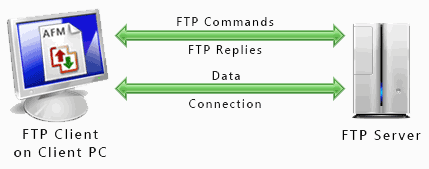
What is FTP
FTP stands for File Transfer Protocol. The main use of FTP is to transfer the
filers between different computers on a particular network. File Transfer
Protocol allows a user to switch files between different computer accounts. You
can transport files between an account and a computer or throughout the online
software archives with the help of FTP.
A website consists of many web pages to describe the business and services well.
IF you are developing a website, you have to create pages with the help of a
text editor or any other tool on your computer. After the development stage, you
have to transport the files to the server where the website will be hosted. Here
File Transfer Protocol comes into the play. It helps in transferring the files
from the computer to the server.
How FTP works

Install the FTP client to the computer and set an FTP account with the helps of
your ftp hosting service provider on the server. This is the very first stage of
FTP file transfer work. The process of FTP is very easy and comprehensive.
Open the FTP client. You will get many boxes there. The first box will be
"Profile Name" folder. You can change the name of the folder and rename it with
the website site name for quick recognition.
The second box will be "Host Name" or "Address". This is the name of the server
you are using to host your home page. Once you are done with such fundamental
steps, you need a "User ID" and "Password" to operate your account.
If you do not waste your time in typing the password every time you access the
account, you can click on the button which saves your password permanently. Do
not worry, you can change your password anytime for security reasons. To make
the process fast, you can goes to the startup properties and make changes to the
initial local folder, so that it go the place where you are keeping the home
page files automatically.
Once you have done with all setting, click on OK to connect with other servers.
You will see files are displaying on the right side of the screen. To remove any
confusion, it is advisable to set up the folders on the hosting server exactly
the same, you set on the computer. It will help you to remember to send the
files to the correct folder.
On the left side, the files on your computer will be displaying. Select the file
you want to transfer by double clicking on the folder and the same with the
right hand side files of the hosting server. It will transfer the files from the
computers to the server. The method of transferring the files through FTP is
convenient and reliable.
Free Website Hosting No Ads offers free FTP hosting. Signup now for free hosting with FTP.
Recommended FTP Clients
SmartFTP or
FileZilla
Did you find this helpful? Recommend it to your friends.